
Quick Answer
On iOS, Game of Thrones: Kingsroad requires iOS 15.0 or later with an A12 Bionic chip or later (iPhone XS and newer). On Android, Netmarble does not publish one official spec sheet — the Play Store simply hides the install on unsupported devices, and community experience points to flagship-class chips (Snapdragon 8-series / Dimensity 9000-series) for smooth play, with recent mid-range phones playable at reduced settings. On PC, the official Steam minimum is a Core i5-2500K with a GTX 1060 6GB and 60 GB of storage, and the Steam Deck is rated Playable.
Field Notes
- • Check compatibility before downloading: the App Store lists device requirements, and Google Play greys out the install button on unsupported phones.
- • If your device is borderline, drop graphics presets before frame rate — stable lower frame pacing beats unstable high settings for this game's combat.
- • Keep 10+ GB free and play on Wi-Fi: it is an always-online game with a large download and frequent patches.
Quick Answer
Kingsroad is a demanding, always-online action RPG that launched on mobile first and came to PC on May 14, 2026. Here is the full picture of what each platform needs:
| Platform | Official requirement | Real-world picture |
|---|---|---|
| iOS | iOS 15.0+ with A12 Bionic or later | iPhone XS and newer run it; newer chips run it much better |
| iPadOS | iPadOS 15.0+ (compatible iPad models per App Store) | Recent iPads are strong; check your model on the listing |
| Android | No published spec sheet (Play Store filters devices) | Flagship chips smooth; recent mid-range playable at reduced settings |
| PC (Steam) | i5-2500K / GTX 1060 6GB / 8 GB RAM / 60 GB / DX12 | Runs well above minimum on most gaming PCs |
| Steam Deck | Officially Playable | Works with settings tweaks; see our Steam Deck guide |
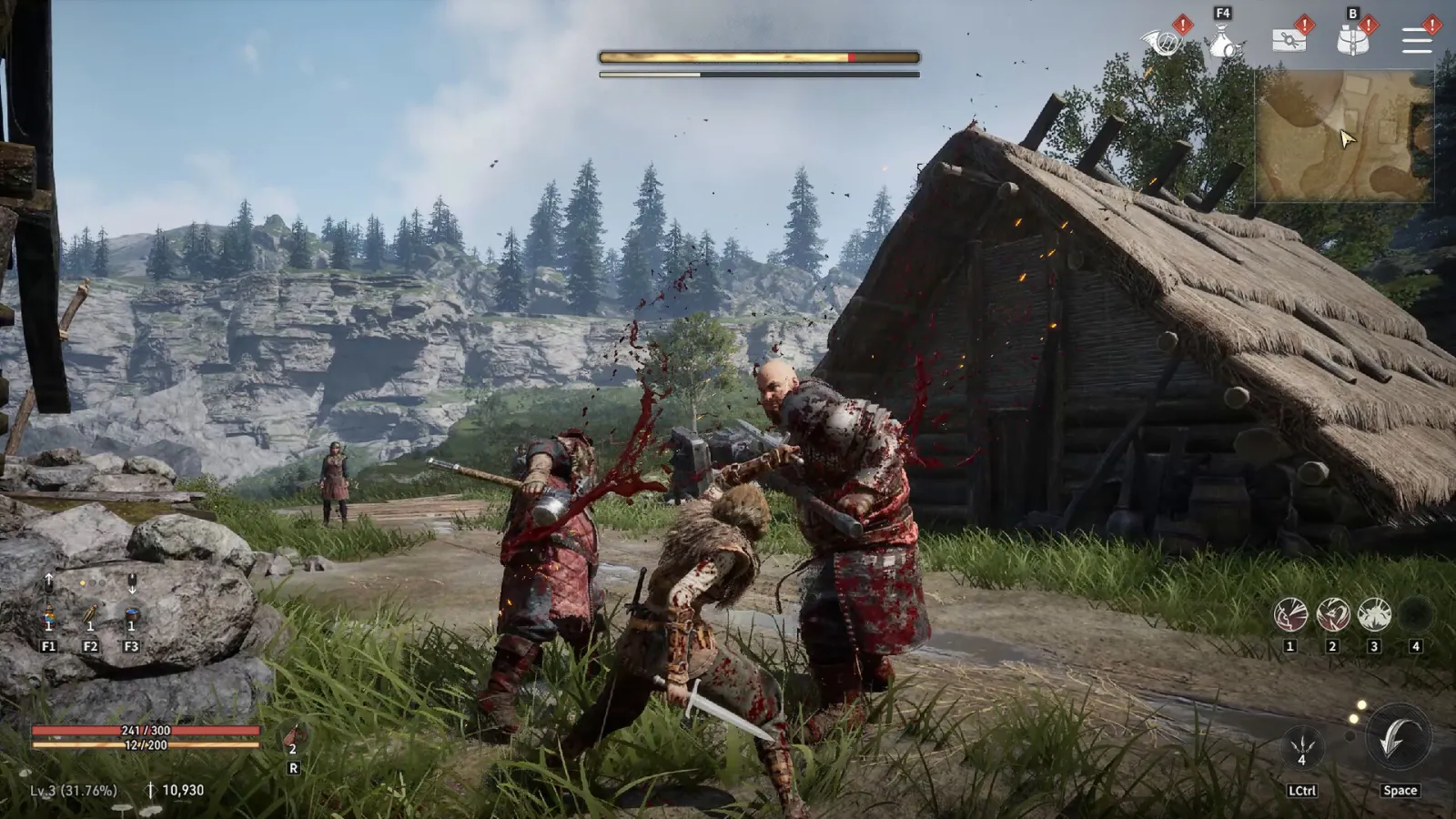
Image source: official Game of Thrones: Kingsroad screenshot via the Steam store page (© Netmarble).
Official iOS Requirements (iPhone & iPad)
From Apple's App Store listing:
- iPhone: Requires iOS 15.0 or later and a device with an A12 Bionic chip or later. Apple lists the iPhone XS and iPhone XS Max as early compatible models — the A12 generation. Every flagship since (11, 12, 13, 14, 15, 16 series) is comfortably above the floor.
- iPad: Requires iPadOS 15.0 or later; Apple lists the specific compatible iPad models on the listing. Modern iPad Air and iPad Pro models run the game well; community reports on the iPad Air M4 describe a strong experience.
What this means in practice:
- iPhone 11 and newer: fine. The A13 onward clears the minimum cleanly; frame pacing improves with each generation.
- iPhone XS / XS Max: the official floor — it runs, but expect reduced settings and shorter sessions before thermal throttling.
- iPhone X and older: not supported (below the A12 requirement).
Android Requirements: What We Know
Netmarble does not publish one official Android minimum spec on the store page. Instead, Google Play automatically hides or greys out the install button on devices it filters as incompatible — that is the fastest official signal for your specific phone.
Beyond that gate, community experience across launch-year and recent devices paints a consistent picture:
| Tier | Typical devices (community-reported) | Expected experience |
|---|---|---|
| Smooth | Recent flagships: Snapdragon 8-series (8 Gen 1/2/3), Dimensity 9000-series and up, iPhone 13-class and better | High/ultra presets, stable frame pacing |
| Playable | Recent upper mid-range: Snapdragon 7-series, Dimensity 7000/8000-series, Samsung A5x/A6x with newer chips, Redmi Note and POCO mid-range | Low–medium presets, occasional dips in crowds and boss fights |
| Struggle | Older mid-range and budget chips (e.g., Dimensity 700-class, 4 GB RAM devices) | Frequent stutters, touch delay, thermal throttling |
Two caveats matter:
- Device reports vary even within the same model line — chip variant (Exynos vs Snapdragon), RAM, thermal design, and background load change results. Treat the table as a starting point, not a guarantee.
- The game patches often, and each patch can shift performance. A device that struggled in June may run better after September's optimizations, and vice versa.
If your phone is in the "Playable" tier, our best mobile settings guide and FPS boost guide are the difference between playable and pleasant. If taps feel delayed even at stable frame rates, see the mobile touch troubleshooting guide.
Storage, Download Size, and Internet
- It is an always-online game. There is no offline mode; play requires a stable internet connection (Wi-Fi recommended for patches and world boss sessions).
- Storage: the PC version lists 60 GB officially. The mobile install is a multi-gigabyte download that grows with patches — keep 10+ GB free on your phone before installing to avoid mid-patch surprises.
- Account: progress is account-based and syncs across mobile and PC once linked — see the crossplay and cross-progression guide.
Official PC Requirements (For Comparison)
If you are weighing mobile against PC, the official Steam requirements are:
| Tier | CPU | RAM | GPU | Storage |
|---|---|---|---|---|
| Minimum | Intel Core i5-2500K / AMD FX-8350 | 8 GB | GeForce GTX 1060 6GB | 60 GB (SSD recommended) |
| Recommended | Intel Core i7-9700 / AMD Ryzen 5 5500 | 16 GB | RTX 2070 / RX 5700 XT / Arc A770 | 60 GB (SSD recommended) |
DirectX 12 and a broadband connection are required. The Steam Deck is officially rated Playable, and any gaming PC from roughly 2016 onward clears the minimum. Our mobile vs PC guide covers which platform suits which player, and the Steam Deck settings guide covers handheld tuning.
How to Check Whether Your Device Can Run It
- iPhone/iPad: open the App Store listing and check the Information section — it states the iOS version and chip requirement and will hide the download button on unsupported devices.
- Android: search for the game in Google Play — if your device is filtered out, the install button will be unavailable or the listing will say it is not compatible.
- Borderline device? Try it within the refund/return window where your store offers one, start at the lowest graphics preset, and use the tuning guides above before judging performance.
Frequently Asked Questions
Does Kingsroad work on iPhone 11 / 12 / 13?
Yes. All three exceed the A12 Bionic minimum. The 11 is the closest to the floor and benefits most from reduced settings; 12 and 13 models are comfortably above it.
Does Kingsroad work on Samsung A15 / A26 / A35?
It depends on the chip inside your specific model and market variant. Recent A-series phones with newer mid-range chips are community-reported as playable at reduced settings; older or budget variants may be filtered out by the Play Store entirely. The install-button check in the previous section is the fastest answer for your exact phone.
Can I play Kingsroad on a tablet?
Yes — iPadOS 15+ iPads per the App Store listing, and Android tablets that pass the Play Store compatibility check. Large-screen play benefits from the game's controller support; see our controller guide.
Why does my phone overheat when playing?
Kingsroad renders a dense open world and pushes sustained GPU load. Thermals are the usual ceiling on mobile. Lower the graphics preset, remove the case while playing, avoid charging mid-session, and shorten boss-fight sessions — the FPS boost guide covers the settings order that reduces heat fastest.
Guide Navigation
Continue Reading
Classes
8 min readBest Class in Game of Thrones: Kingsroad – Tier List, Builds & Beginner Picks
Find the best class in Game of Thrones: Kingsroad by player type, including beginners, solo players, mobile players, damage-focused players, and survivability-focused players.
Classes
8 min readGame of Thrones: Kingsroad Class Tier List
A current Game of Thrones: Kingsroad class tier list for Assassin, Knight, and Sellsword, ranked for damage, survivability, progression, mobility, and beginner comfort.
Beginner
14 min readGame of Thrones: Kingsroad Beginner Guide — Your First 10 Hours Explained
A structured beginner guide for Game of Thrones: Kingsroad covering your first day, core systems, progression path, platform choice, F2P mindset, and early priorities for new players.
Settings
17 min readMobile Touch Not Working in Kingsroad: Fix Tap Issues on Mobile
Fix touch and tap issues in Game of Thrones: Kingsroad on mobile. Step-by-step troubleshooting for unresponsive controls, touch lag, and input problems.
FAQ
What are the minimum requirements for Kingsroad on iPhone?
Apple's App Store listing requires iOS 15.0 or later and a device with an A12 Bionic chip or later — in practice iPhone XS and XS Max or newer. Older devices like the iPhone X and below cannot run the game.
What phones can run Game of Thrones: Kingsroad on Android?
Netmarble does not publish a single Android spec sheet; the Play Store hides the install on incompatible devices. Community experience suggests flagship-class chips (Snapdragon 8-series, Dimensity 9000-series or better) run it smoothly, while recent mid-range devices are playable at reduced settings. Older budget phones generally struggle.
Can Kingsroad run on Samsung Galaxy A-series or Redmi Note phones?
Some can, with reduced settings and tempered expectations — community reports vary widely by model and chipset year. Recent A-series and Redmi devices with mid-range chips tend to be playable at low graphics, while older or budget-tier models often fall below the bar.
Related Guides
Settings
Best Mobile Settings for Game of Thrones: Kingsroad
Best mobile settings for Game of Thrones: Kingsroad, including graphics, controls, class choice, battery, heat, performance, and touch-control comfort.
Settings
Game of Thrones: Kingsroad Mobile vs PC: Which One Should You Actually Play?
PC wins for story, boss fights, and controller support; mobile wins for daily grinding and short sessions — and cross-progression means you can use both. Real device reports, current mobile controller status, and the hybrid strategy Kingsroad players actually use. Updated September 2026.
Settings
How to Boost FPS in Game of Thrones: Kingsroad
A quick Game of Thrones: Kingsroad FPS boost guide with the best settings order, low-end PC tips, mobile FPS fixes, frame pacing advice, and a simple troubleshooting checklist.
Settings
Mobile Touch Not Working in Kingsroad: Fix Tap Issues on Mobile
Fix touch and tap issues in Game of Thrones: Kingsroad on mobile. Step-by-step troubleshooting for unresponsive controls, touch lag, and input problems.